Best Teleprompter for Video Calls and Screen Sharing
Use a teleprompter on Zoom, Meet, Teams, Loom, and Riverside without exposing your notes. Compare setups for calls, recordings, interviews, and demos.
Read article →Hands-on guides to voice tracking, natural on-camera delivery, and faster video production. Voice tracking means speech recognition that scrolls your script as you speak. I write everything here myself - I build VoicePrompter and test each setup before recommending it. If you're new to the teleprompter world, start with the comparison guides.

Use a teleprompter on Zoom, Meet, Teams, Loom, and Riverside without exposing your notes. Compare setups for calls, recordings, interviews, and demos.
Read article →Compare teleprompter setups for product demos, Loom walkthroughs, screen recordings, sales videos, and mobile demos, plus a retake-saving workflow.
Read article →Compare teleprompter setups for live webinars, recorded presentations, video podcasts, interviews, ad reads, and scripted podcast segments.
Read article →Compare teleprompter setups for course lessons, screencasts, talking-head modules, mobile filming, and batch recording without memorizing scripts.
Read article →
Compare teleprompter setups for TikTok, Instagram Reels, and YouTube Shorts, including floating scripts, voice scrolling, eye line, and vertical recording.
Read article →Compare the best teleprompter apps for YouTube by voice scrolling, eye line, screen-recording privacy, mobile filming, and editing workflow.
Read article →Need a teleprompter without a subscription? Compare pay-once native apps and genuinely free browser options, including their limits and best use cases.
Read article →Compare the best teleprompter apps for Mac, iPhone, iPad, Android, and web by voice tracking, screen-share privacy, workflow, and fit.
Read article →

I compared 10 real Android teleprompter apps by voice tracking, floating overlays, and recording. See which ones follow words and which only hear sound.
Read article →The best free online teleprompters you can use in a browser - compared on voice scrolling, privacy, languages, and offline use. Here's which one to pick.
Read article →The tools teachers actually need to record video lessons in 2026 - camera, mic, lighting, teleprompter, screen recorder, and editing - most of them free.
Read article →Most 'voice-activated' teleprompters only detect sound - they don't follow your words. Here's the real difference, and how to get true voice scrolling free.
Read article →Practical techniques for delivering a compelling virtual keynote - from setup and scripting to engagement and delivery without notes.
Read article →A free online teleprompter that scrolls with your voice - no download, no signup, works on any device with a browser. Open it, paste your script, start talking.
Read article →Constant speed, sound, voice tracking, a remote, or an operator - the five ways teleprompter text scrolls, compared. Here's which works best and why.
Read article →Turn any iPad into a professional teleprompter in minutes: next to the camera, in a beam-splitter rig, or across the room - with voice scrolling so you need no remote.
Read article →Most 'free' iPhone teleprompter apps watermark your video or lock scrolling behind a paywall. Here's what each free tier really includes, and the one with full voice tracking.
Read article →The easiest teleprompter app is the one with the fewest steps between your script and your first take. Here's the one-click flow, timed against the usual five-step setup.
Read article →A practical workflow for YouTube creators who want to cut production time in half - from scripting to recording to upload.
Read article →Practical camera confidence techniques - from eye contact tricks to script preparation methods that make you look and sound like a pro.
Read article →How to read a script on camera so it sounds natural, not robotic - where to look, how to phrase and pace, and the prompter setup that makes delivery effortless.
Read article →The techniques that separate natural-sounding teleprompter users from the ones who look like they're reading. Practical, actionable advice.
Read article →

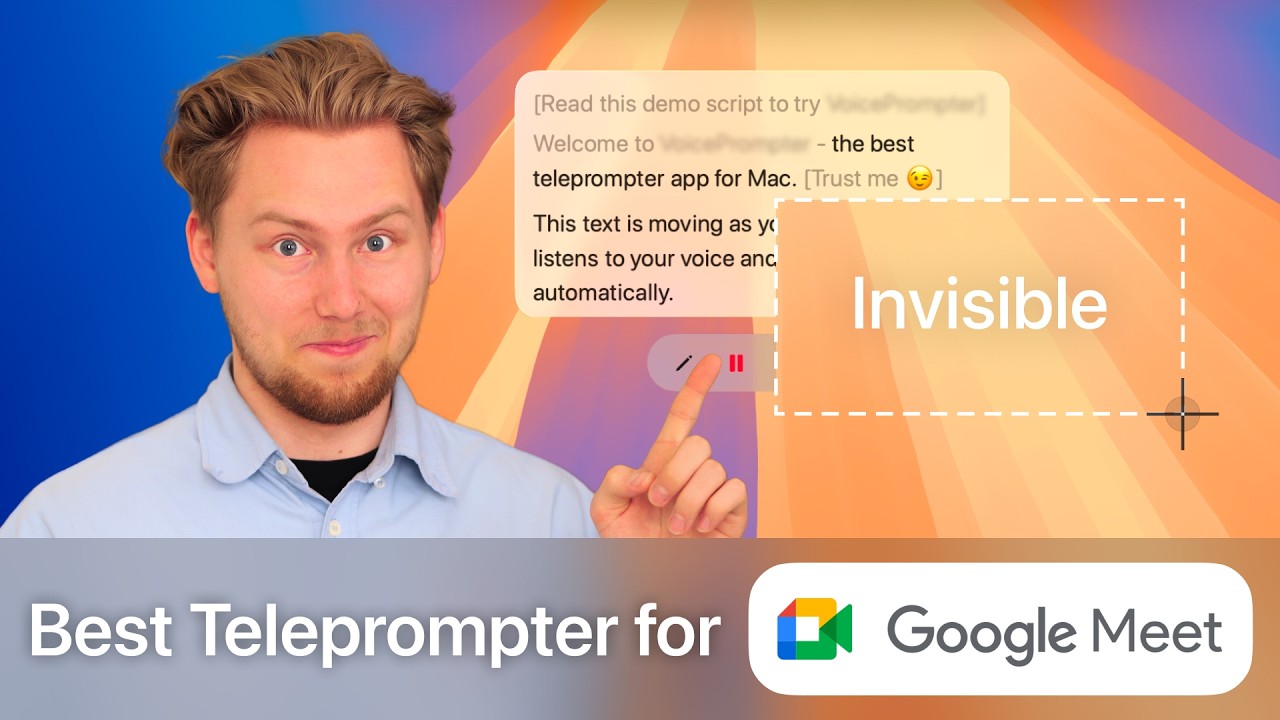
A step-by-step guide to using an invisible, voice-activated teleprompter on Google Meet. Stays on top during screen shares, scrolls automatically as you speak, runs natively on Mac.
Read article →How VoicePrompter's automatic language detection works across 60+ languages - tested personally in English, Polish, Ukrainian, Russian, French, and Spanish.
Read article →The prep takes forever, the retakes take forever, the editing takes forever. Here's a workflow to cut all three in half.
Read article →Memorizing a video script is almost always a waste of time. Here's why, and what actually works for delivering polished content.
Read article →Pre-recorded video interviews are tricky. Here's how to prepare properly so you sound confident, concise, and professional.
Read article →Everything VoicePrompter does and how to use it: whole-script voice tracking, the invisible Mac overlay, the floating iPhone window, mirroring, presets, and the free tiers.
Read article →A frustrated developer's deep dive into why every teleprompter app fails at the basics, and the journey to building one that actually works.
Read article →How to deliver a tight, professional sales pitch over Zoom - balancing natural conversation with structured messaging.
Read article →

A step-by-step guide to using an invisible, voice-activated teleprompter on Zoom. Stays on top during screen shares, scrolls automatically as you speak, runs natively on Mac.
Read article →I compared 10 teleprompter apps for iPhone and iPad on the thing that matters most: how they scroll. Only three follow your voice - and only one follows your whole script.
Read article →Loom has no built-in teleprompter as of mid-2026. Here's the fastest way to add one that scrolls with your voice and stays invisible in your recordings.
Read article →How to use a voice-scrolling teleprompter on iPhone: film in 4K inside the app, or float your script over TikTok and Instagram while their camera records you.
Read article →An honest, hands-on comparison of the best teleprompter apps for Mac in 2026 - what real voice scrolling means, which apps stay invisible on screen share, and where VoicePrompter fits.
Read article →BIGVU bundles a teleprompter with captions, editing, and publishing. VoicePrompter does one thing extremely well. Here's which fits your workflow.
Read article →Notchie scrolls on sound; VoicePrompter follows your actual words. Here's the honest difference between the two Mac teleprompters - and which to pick.
Read article →PromptSmart pioneered voice tracking, but its Mac app is an iOS port. Here's how it compares to VoicePrompter, the native Mac alternative - and which to pick.
Read article →Teleprompter.com is a polished recording app; VoicePrompter is a native Mac overlay that's invisible on screen share. Here's the honest difference.
Read article →Textream is free and open source but installs from GitHub and has reported reliability issues. Here's how it compares to VoicePrompter - and which to choose.
Read article →