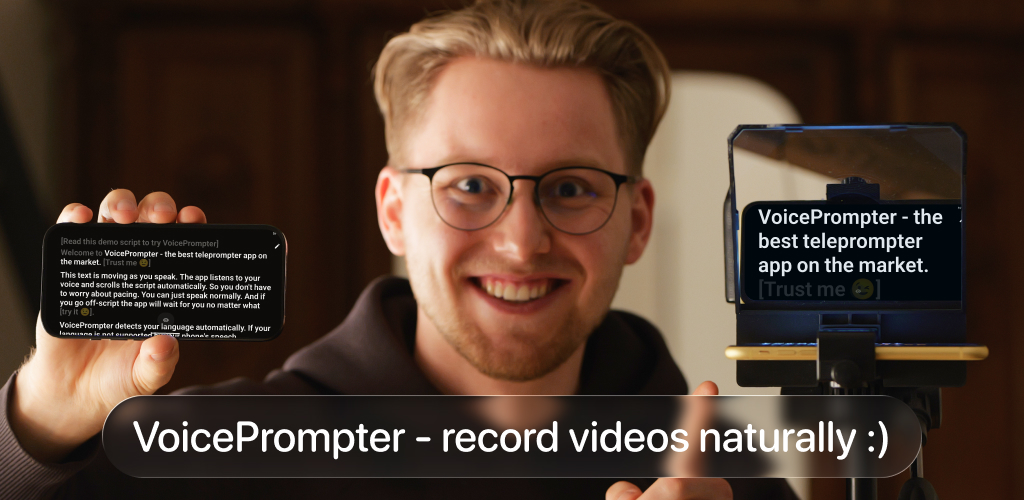
The best teleprompter app for Android is the one that matches how you film. VoicePrompter for Android is my overall pick because it combines whole-script word tracking, backward scrolling, a picture-in-picture prompter over other apps, and up to 4K recording. PromptSmart+ is the strongest established alternative for offline word tracking, while Nano Teleprompter and Elegant Teleprompter are good fixed-speed floating options.
I built VoicePrompter, so do not take the ranking on trust. The comparison below explains exactly how each app scrolls, what its Android listing actually promises, and where a competitor may fit better.
How I compared Android teleprompter apps
I checked the current Google Play listing for every app in this comparison on July 24, 2026. All ten are real Android apps available through Google Play, not iPhone apps copied into an Android list.
I compared them on four practical questions:
- Does the app follow your actual words, react only to sound, or move at a fixed speed?
- Can the prompter float over TikTok, Instagram, YouTube, a camera app, or a video call?
- Can it record video itself?
- What happens when you pause, improvise, skip ahead, or restart an earlier line?
That first question matters most. App listings use "voice scrolling" for different systems:
- Word tracking uses speech recognition to match your words to a position in the script.
- Sound scrolling moves while the microphone hears you and pauses in silence. It does not know which words you said.
- Fixed-speed scrolling moves at the pace you set. You must keep up or adjust it with a remote.
The difference is easy to miss in a store listing and obvious during a real take. I explain the mechanics in five ways a teleprompter can scroll.
Android teleprompter apps compared
| App | Scrolling on Android | Whole-script tracking | Floats over other apps | Records video |
|---|---|---|---|---|
| VoicePrompter | Word tracking + sound + fixed speed | Yes, including backward | Yes | Yes, up to 4K |
| PromptSmart+ | Word tracking with VoiceTrack | No, waits for you to return | No Android overlay claimed | Yes, HD |
| Teleprompter for Video | Fixed speed + remote control | No | Yes | Yes |
| Nano Teleprompter | Fixed speed + remote control | No | Yes | Uses another camera app |
| Elegant Teleprompter | Fixed speed + remote control | No | Yes | Uses another camera app |
| BIGVU | Fixed speed + pause on silence | No | No Android overlay claimed | Yes, with editing tools |
| Teleprompter.com | Fixed or timed playback on Android | No Android word tracking claimed | No Android overlay claimed | Yes |
| Teleprompter: Vlog & Scripts | Starts and stops with your voice | No | Yes | Yes, Full HD |
| Teleprompter: Script & Autocue | Voice-assisted scrolling | Not documented | Yes | Yes, HD |
| Teleprompter for Video by Pamir Apps | Voice mode + fixed speed | Not documented | No overlay claimed | No recorder claimed |
The table is intentionally Android-specific. Some brands advertise extra features on iPhone that their Google Play descriptions do not mention. I did not assume those features exist on Android.
1. VoicePrompter - best overall Android teleprompter
Best for creators who want the script to follow their delivery and work inside any filming setup. VoicePrompter matches recognized speech against the complete script. You can skip a paragraph, ad-lib, or repeat a sentence from earlier, and the app can find that position instead of waiting for one exact next phrase. It is the only app in this comparison that documents backward voice scrolling.
Android picture-in-picture turns the script into a compact floating prompter over TikTok, Instagram, YouTube, Snapchat, video-call apps, or a separate camera app. If you prefer one-app recording, Video mode supports front and rear cameras, lens selection, HDR on compatible devices, and up to 4K recording. Mirror mode handles physical beam-splitter rigs.
VoicePrompter is a paid native Android app, not a free web app. You can try it with up to three custom scripts and a demo script before choosing a monthly, yearly, or one-time Lifetime option. Voice recognition covers more than 40 configured locales, although actual offline support depends on the speech service and language packs installed on your device.


2. PromptSmart+ - best established word-tracking alternative
Best for speakers who want offline word tracking inside a traditional prompter. PromptSmart+ uses its VoiceTrack system to scroll while you speak, stop when you pause or improvise, and resume when you return to the script. Its Google Play listing documents on-device recognition, offline operation, English plus 14 other languages, optional cloud features, and HD recording in Selfie Mode.
The limitation is how it recovers. PromptSmart+ waits for you to say the expected script again. It does not claim whole-script matching, jumping to a later section, or scrolling backward when you restart an earlier line. Its Android listing also does not describe a floating overlay over other apps. It is still the clearest established Android alternative when real word recognition matters more than picture-in-picture.
3. Teleprompter for Video - best for recording and editing
Best for creators who want a mature recording workflow with captions and hardware controls. Teleprompter for Video by Norton Five records with front or rear cameras, supports portrait and landscape video, works with external microphones, and adds editing tools such as captions, logos, text, aspect-ratio changes, and green-screen backgrounds.
It can float a script over another video app and accepts Bluetooth remotes, keyboards, and foot pedals. It also imports common document formats from major cloud services. The scrolling itself is the traditional adjustable-speed approach, so the app is strongest when you rehearse a steady pace or control it with hardware rather than expecting it to find your words.
4. Nano Teleprompter - best floating prompter for Google Drive
Best for people who write scripts on a computer and film with another Android camera app. Nano Teleprompter is built around a movable, resizable floating widget. Its current listing highlights real-time Google Drive sync, imports from Google Docs, Word, RTF, TXT, and HTML, text highlighting, custom opacity and margins, gesture resizing, and configurable remote controls.
Nano does not record video itself. That is intentional: you float the prompt over the camera or social app you already use. Scrolling is speed-based and can be driven by a remote, so it will not recover your position from speech. For a fixed-speed overlay with strong script sync, it is one of the most focused Android choices.
5. Elegant Teleprompter - best simple floating option
Best for a straightforward overlay, Bluetooth remote, or beam-splitter rig. Elegant Teleprompter has a long Android track record and a flexible floating window that can sit over a camera or live-streaming app. It supports mirrored text, Drive or local-file import, Bluetooth controls, per-script display settings, loop mode, and a progress bar for jumping through the text.
The app uses adjustable fixed-speed scrolling. It does not claim speech recognition or its own video recorder, so it works best when you want a reliable script window and prefer to keep recording inside another app.
6. BIGVU - best all-in-one video production suite
Best for creators who want captions, editing, AI script tools, and publishing in one account. BIGVU combines an in-app teleprompter with video recording, automatic captions, translation, background tools, branding, editing, and social publishing. It is much broader than a dedicated prompter.
BIGVU lets you set the text speed and includes a pause-on-silence control. That responds to whether you are speaking, not where you are in the script. It cannot reliably follow a skipped paragraph or find an earlier line. Choose BIGVU for the production suite; choose a word-tracking app when natural, changing delivery is the priority.
7. Teleprompter.com - best cross-platform script library
Best for users who move scripts between Android, Apple devices, and the web. Teleprompter.com has an Android app for phones and tablets with cloud imports, in-app recording, timed playback, speed controls, mirroring, font and margin settings, Bluetooth keyboard shortcuts, Wear OS remote control, and offline access.
Its iPhone marketing discusses voice-following features, but the current Android Google Play description does not. For this comparison I counted only the documented Android speed and timing controls. It remains a polished option for conventional prompting and cross-device script management.
8. Teleprompter: Vlog & Scripts - best sound-controlled overlay
Best for creators who want hands-free start and stop without full word tracking. The Solid Labs app includes a floating overlay, Full HD recording, PDF, TXT, and Word imports, mirror mode, Bluetooth controls, cloud script backup, and voice control that starts scrolling while you speak and stops when you stop.
That behavior is sound scrolling, based on the app's own description. It is useful when you keep a steady pace and want the script to pause during silence, but it does not document matching recognized words or recovering after a jump in the script.
9. Teleprompter: Script & Autocue - promising new creator toolkit
Best for early adopters who want voice-assisted scrolling, an overlay, captions, and script generation. This newer iStack app claims voice-tracked auto-scroll, HD recording, a floating overlay, mirror mode, Bluetooth and foot-pedal control, document imports, automatic captions, and an AI writing assistant.
The listing does not explain the matching window or what happens when you skip and backtrack, and the app has a much shorter public track record than the established options above. The feature set is ambitious, but I would test its tracking with a difficult script before depending on it for a long production.
10. Teleprompter for Video by Pamir Apps - basic voice mode
Best for users who want a minimal prompt screen with a recently added voice option. Pamir Apps documents voice-controlled scrolling, manual speed control, script creation and import, mirroring, display customization, autosave, and multiple languages.
The listing does not explain whether Voice Mode recognizes words or reacts to sound, and it does not claim a floating overlay or built-in video recorder. That makes it a basic prompter rather than a full filming workflow. It is worth testing if you want something simple, but the unclear tracking behavior keeps it below apps with better documented Android features.
Which Android teleprompter should you choose?
Choose based on the part of your workflow that causes the most friction:
- Choose VoicePrompter for whole-script voice tracking, backward scrolling, picture-in-picture, and up to 4K in-app recording.
- Choose PromptSmart+ for established offline word tracking in a classic in-app prompter.
- Choose Teleprompter for Video for recording, captions, editing, and remote-controlled scrolling.
- Choose Nano Teleprompter for a Google Drive-centered floating widget.
- Choose Elegant Teleprompter for a simple fixed-speed overlay or physical teleprompter rig.
- Choose BIGVU when the video-production suite matters more than word tracking.
The most useful test is not how quickly you can paste a script. Read a difficult paragraph, pause in the middle, ad-lib one sentence, skip ahead, and then repeat an earlier line. That reveals whether "voice" means real position tracking or just movement triggered by microphone volume.
Frequently asked questions
What is the best teleprompter app for Android? VoicePrompter is the strongest overall choice if you want whole-script word tracking, backward scrolling, a floating picture-in-picture prompter, and up to 4K recording. PromptSmart+ is the strongest established alternative for offline word tracking.
Which Android teleprompter apps actually follow words? VoicePrompter and PromptSmart+ clearly document speech-recognition-based word tracking. Teleprompter: Script & Autocue claims voice-tracked scrolling, but its listing does not explain how it recovers after skipped or repeated lines. Several other apps only start and stop based on sound.
Is VoicePrompter for Android free? No. VoicePrompter is a paid native Android app. You can try up to three custom scripts plus a demo script before upgrading, and the separate web teleprompter remains completely free.
Can an Android teleprompter float over TikTok or Instagram? Yes. VoicePrompter, Teleprompter for Video, Nano Teleprompter, Elegant Teleprompter, Teleprompter: Vlog & Scripts, and Teleprompter: Script & Autocue document an Android floating or picture-in-picture mode.
Which Android teleprompter records video? VoicePrompter, PromptSmart+, Teleprompter for Video, BIGVU, Teleprompter.com, Teleprompter: Vlog & Scripts, and Teleprompter: Script & Autocue document in-app video recording. Available resolution and camera controls depend on the app and device.
Does voice scrolling work offline on Android? It can. PromptSmart+ documents fully on-device recognition. VoicePrompter prefers Android's on-device recognizer when the phone and language support it, but some combinations use the installed system speech service and may need a connection.
Do Android teleprompter apps work on tablets and Samsung Galaxy devices? Most of the established apps support Android phones and tablets, including compatible Samsung Galaxy devices. Check the Google Play compatibility notice on your device because Android version, camera formats, and speech services vary.