VoicePrompter for Android

The most convenient teleprompter for Android

Your script follows your voice and floats over the apps you already use to film.

Get it on Google Play

Trusted by 10,000+ creators

Read your script while filming in:
Instagram Reels TikTok Snapchat YouTube Shorts Facebook Live Twitch Instagram Live Any camera app

How it works

From pasted script to polished take in under a minute.

1

Start any script in one tap

Paste from anywhere - or start straight from your clipboard, no setup screens in between.

2

Speak naturally

Your script scrolls with your voice, word by word, and pauses whenever you do.

3

Film anywhere

Record in up to 4K inside VoicePrompter, or use Android picture-in-picture over TikTok, Instagram, YouTube, and other camera apps.

A full teleprompter studio in your pocket

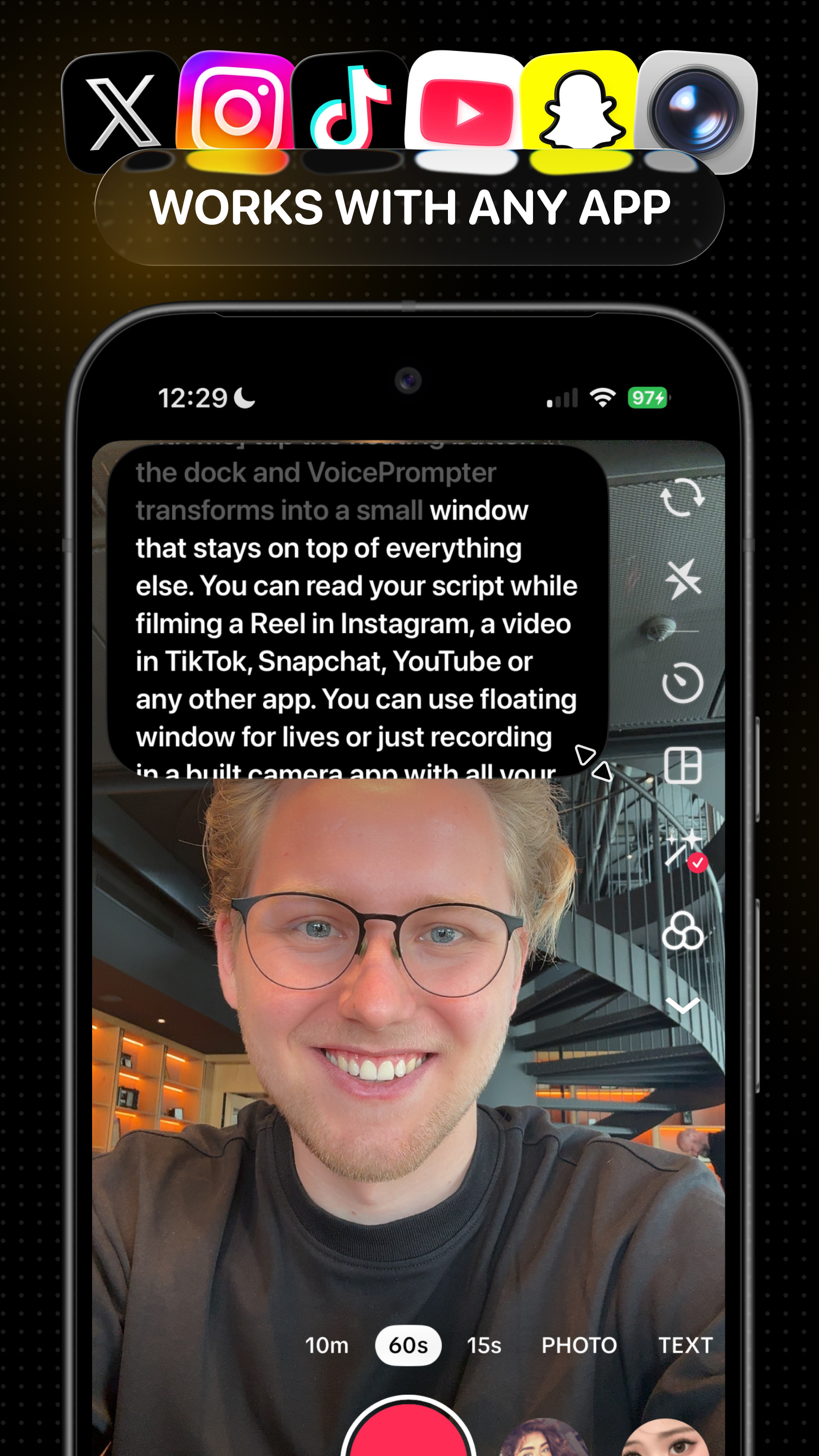
VoicePrompter floating over Instagram while filming a Reel on Android

Works with any app: read in a floating window over Instagram, TikTok, YouTube, Snapchat, or your camera app.

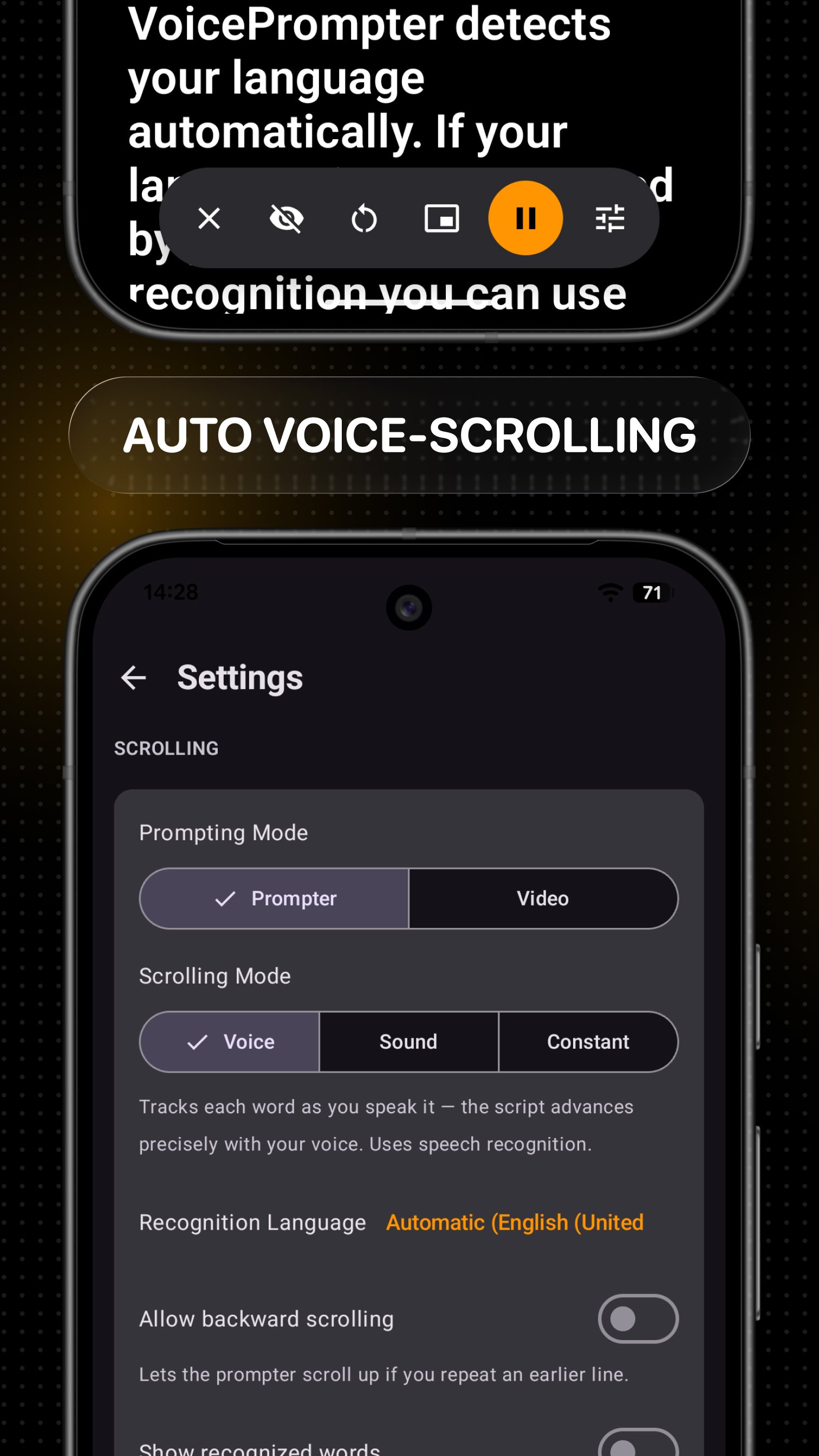
Voice scrolling on Android: the teleprompter follows speech word by word

Voice scrolling: follows your words across the whole script. Pause or ad-lib and it waits for you.

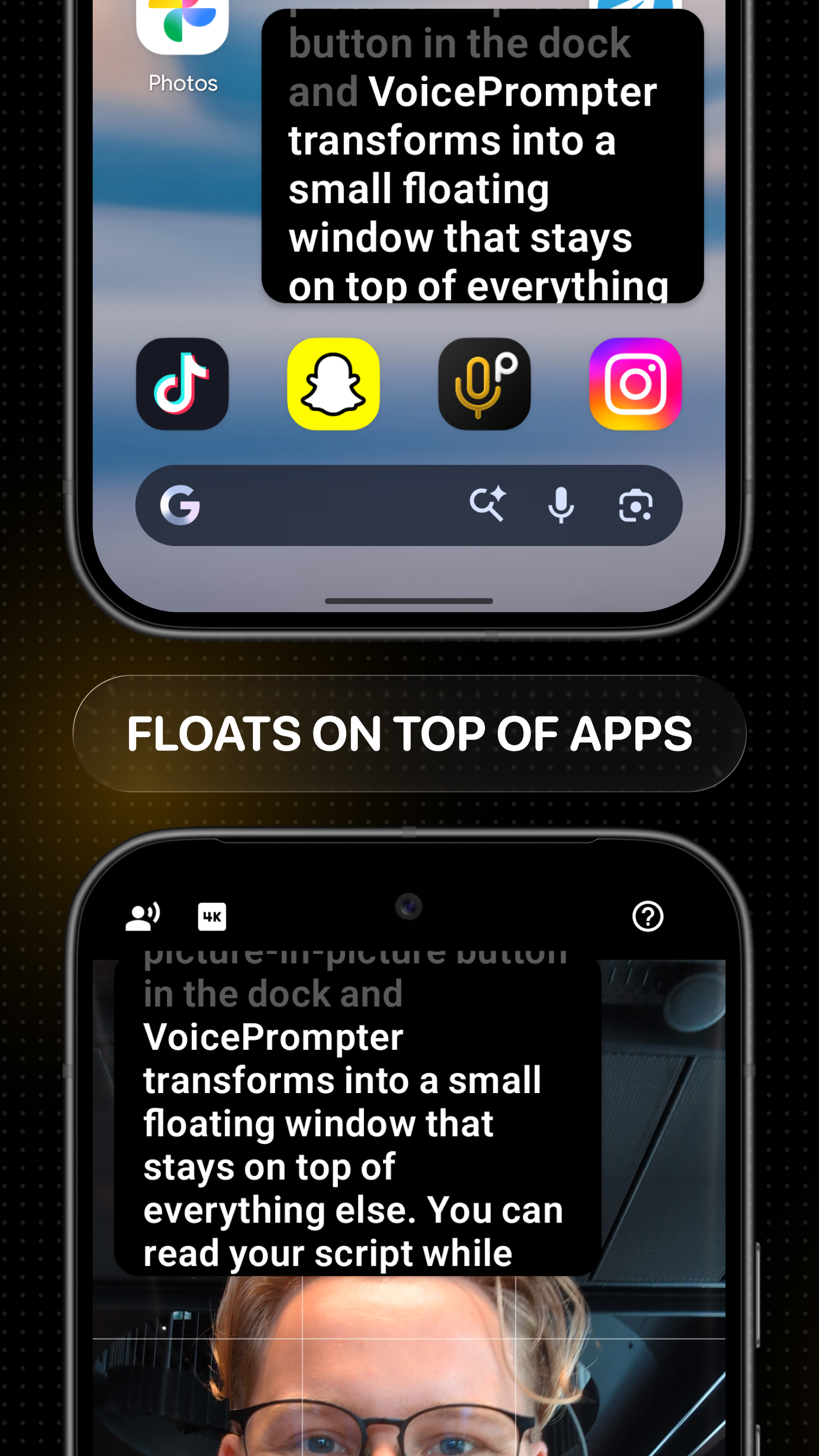
VoicePrompter in an Android picture-in-picture window over another app

Floats on top: Android picture-in-picture keeps the prompter visible while another app uses the screen.

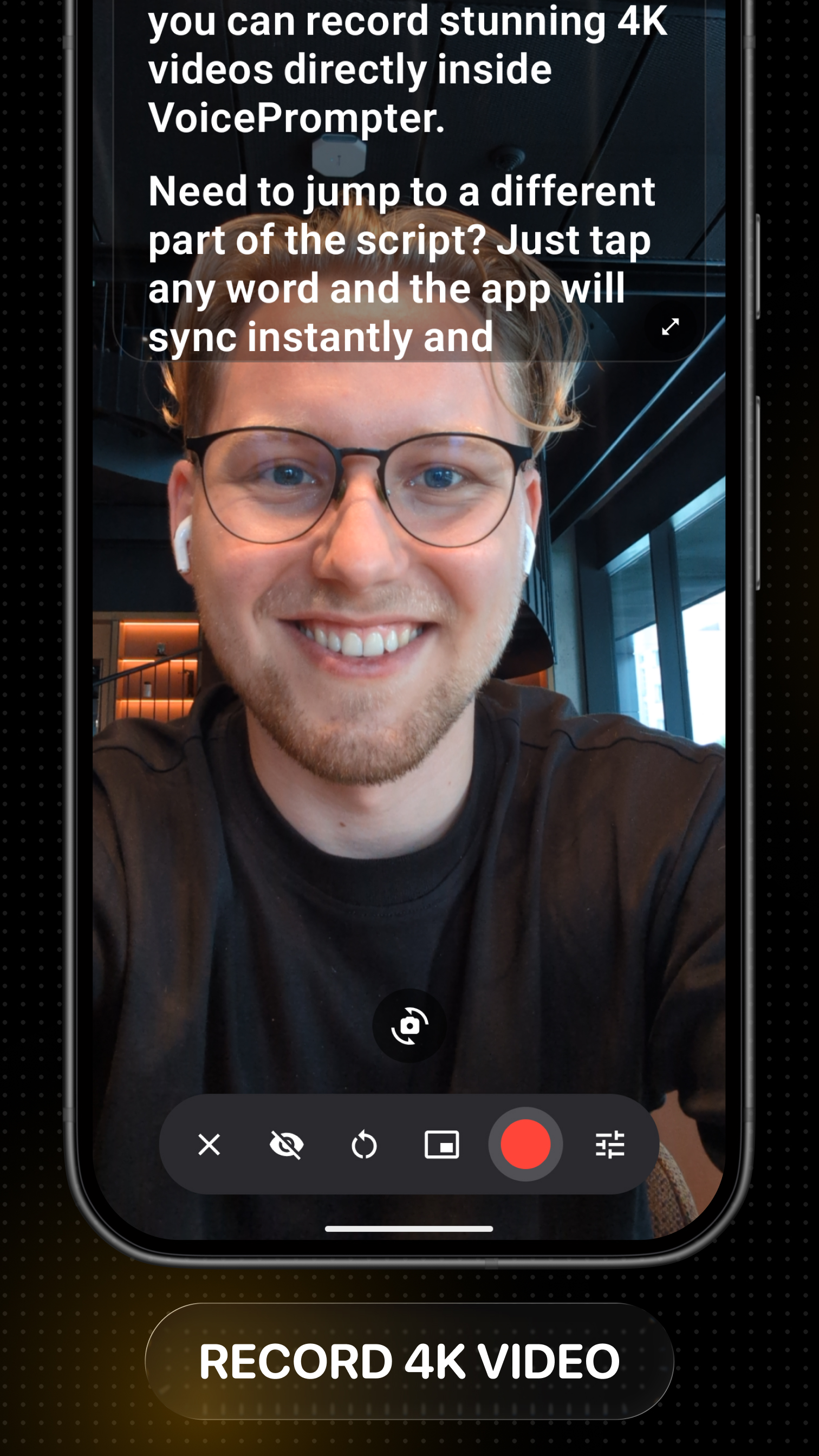
Recording a 4K video inside the VoicePrompter Android app

4K recording: capture video inside the app with front or rear cameras and HDR on supported phones.

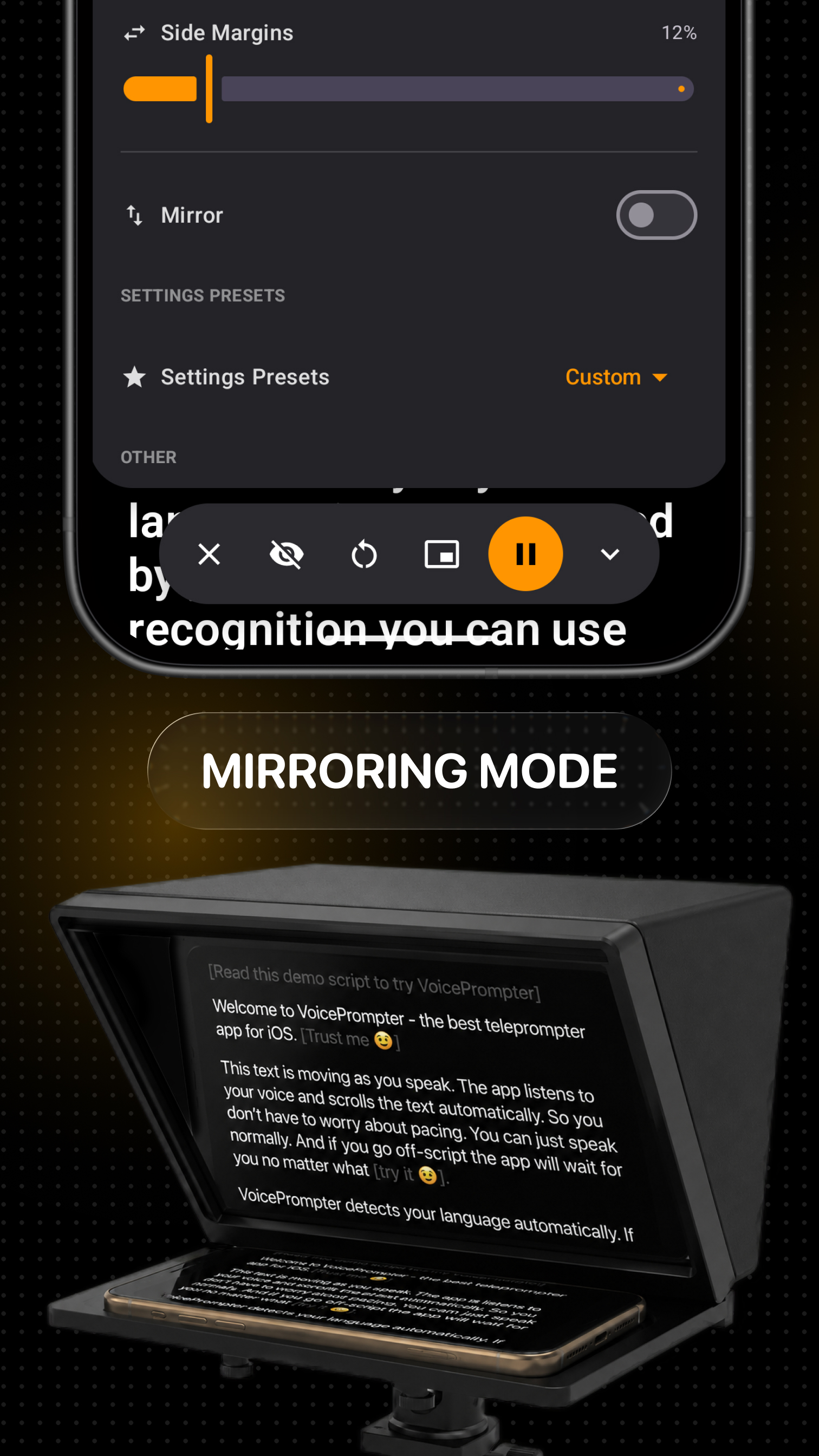
Mirroring mode for beam-splitter teleprompter rigs on Android

Mirroring: flip the display for beam-splitter rigs from Elgato, Neewer, Glide Gear, and others.

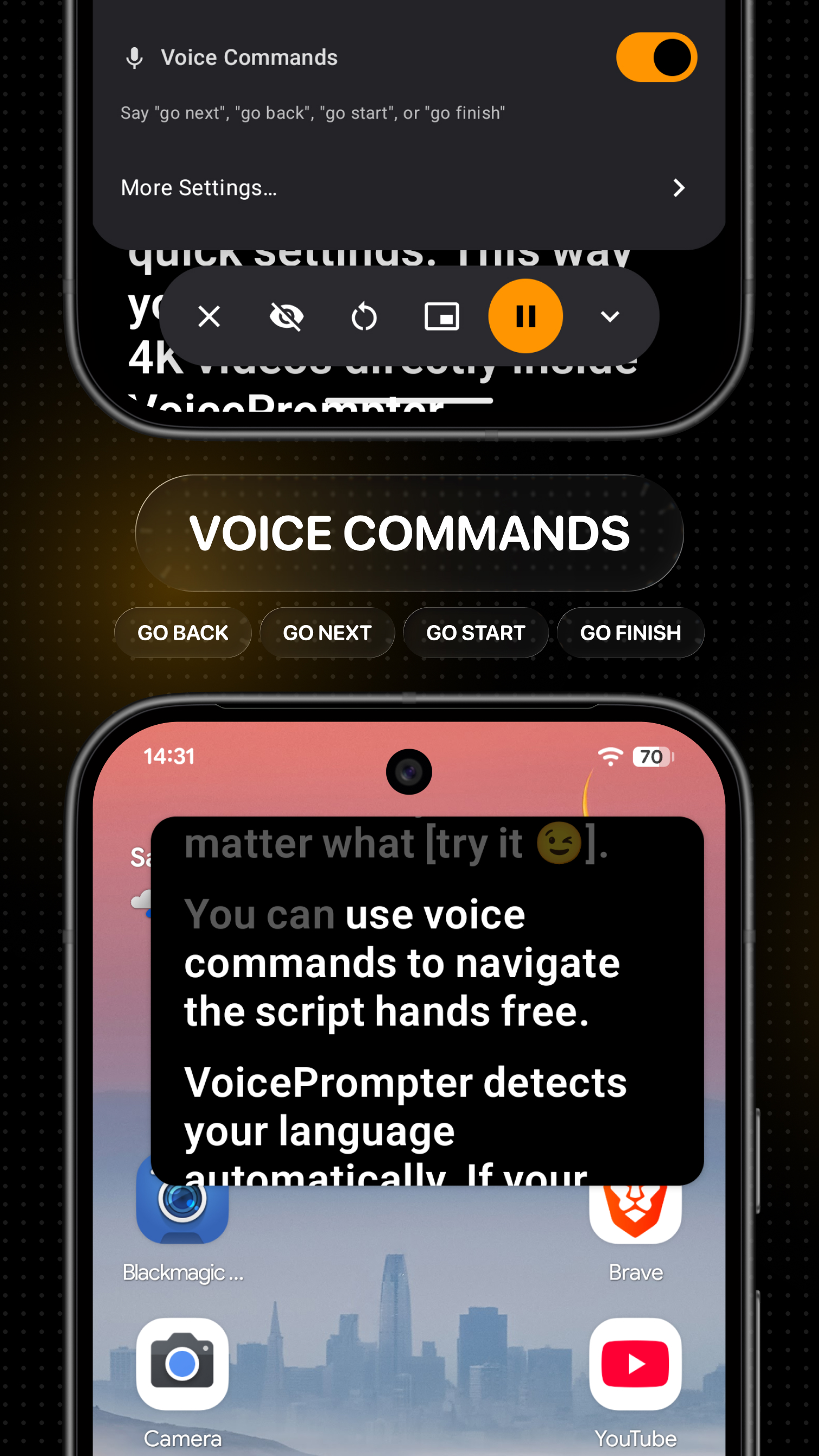
Hands-free voice commands controlling the Android teleprompter

Voice commands: say go back, go next, go start, or go finish without touching the phone.

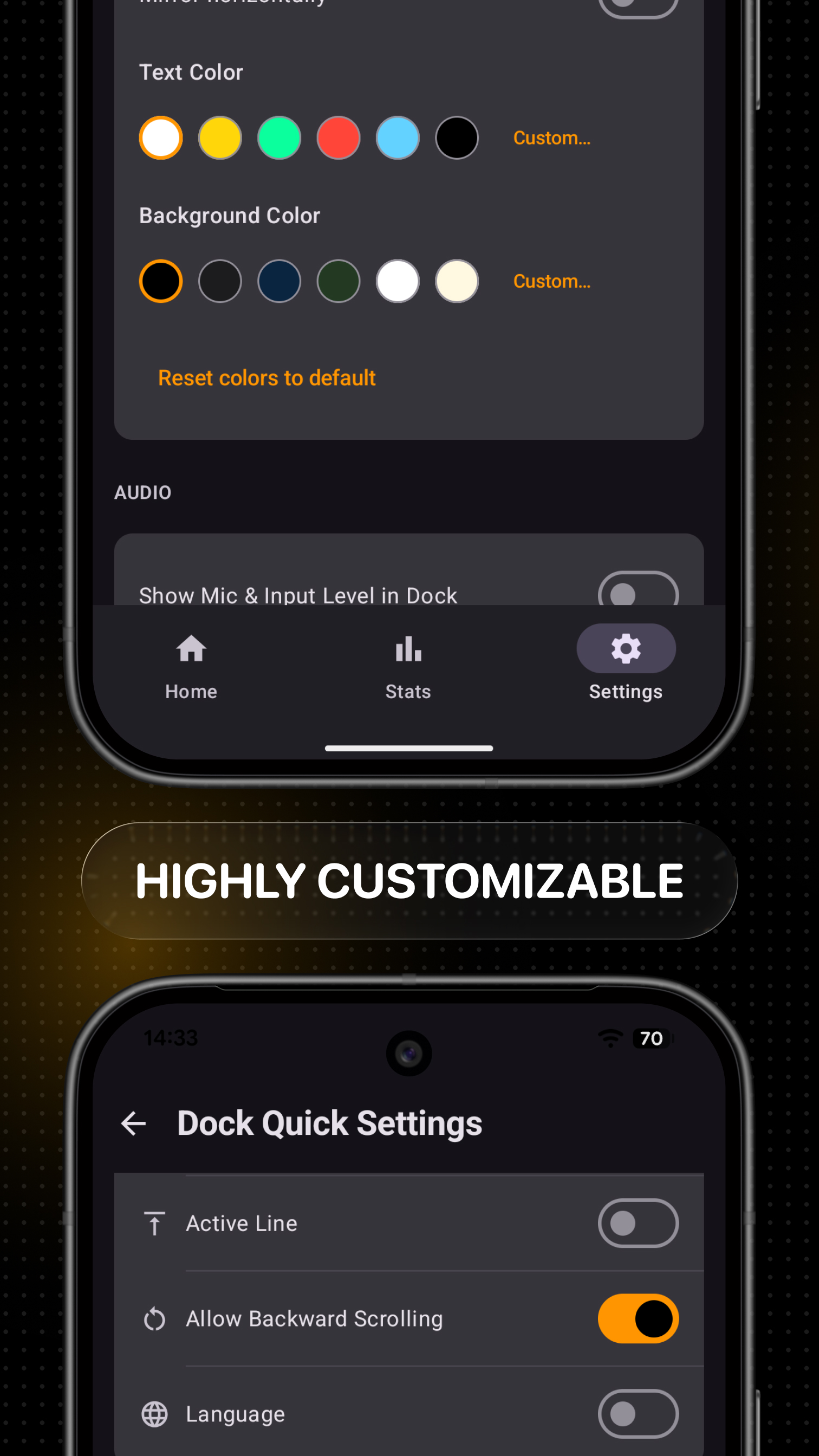
Customizable Android teleprompter settings for colors, spacing, margins, and controls

Customizable: fonts, size, colors, spacing, margins, active-line position, and right-to-left text.

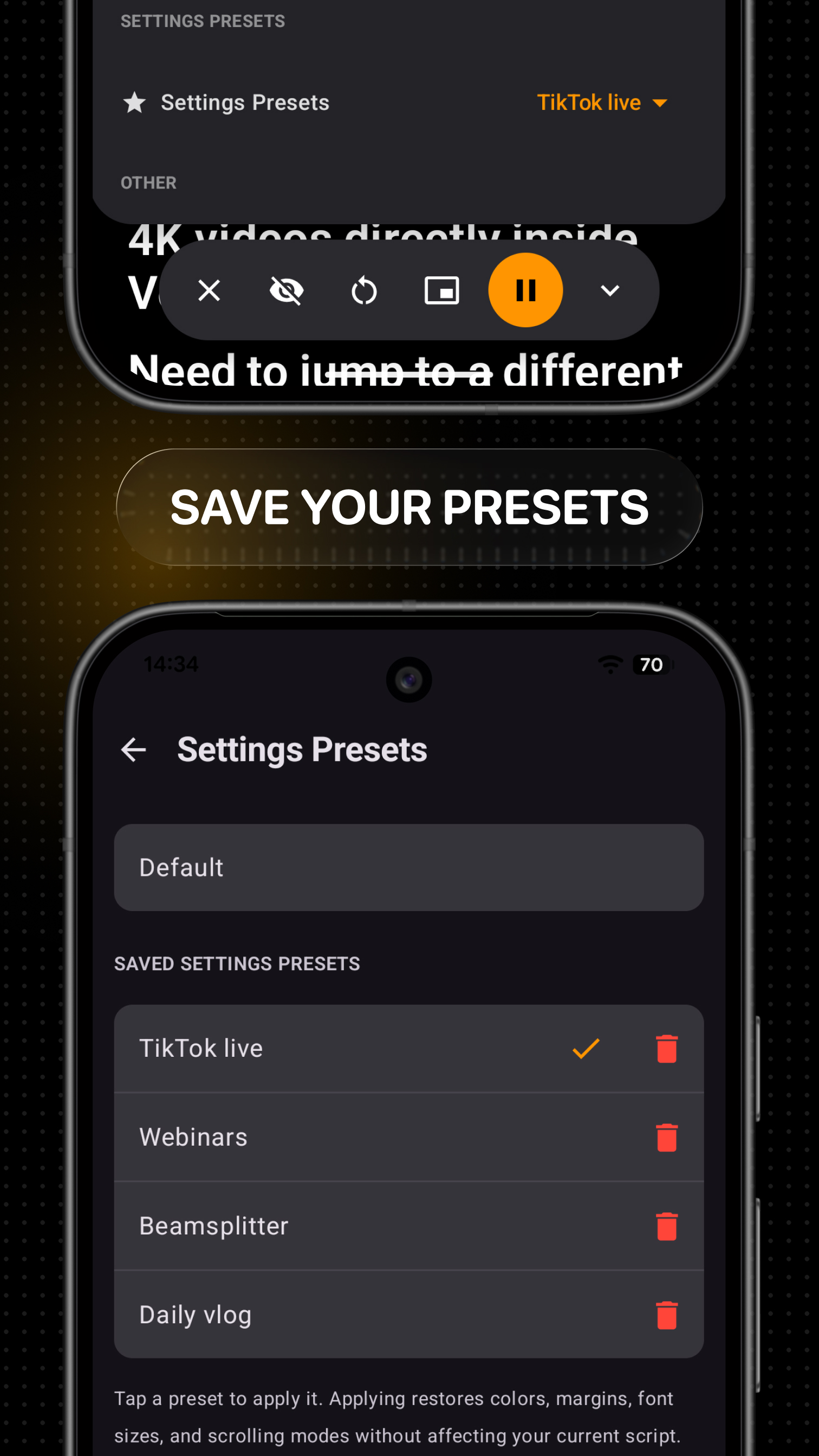
Saved teleprompter settings presets in VoicePrompter for Android

Presets: save your favorite setups and switch between them with a single tap.

Three ways to scroll

Pick the mode that fits the moment - from precise word-by-word tracking to a classic steady crawl.

Voice scrolling

Follows your speech word by word in 40+ recognition locales. Pause, ad-lib, skip ahead, or backtrack - it stays with you.

Sound scrolling

Scrolls whenever your mic picks up your voice and pauses when you go silent. No speech recognition - works in any language.

Constant speed

A steady, classic teleprompter crawl at your chosen pace. No microphone needed - set your speed and read.

Who is this for?

Anyone who speaks on camera from an Android phone or tablet - and wants fewer takes.

Reels & TikTok creators filming with a script floating over Instagram or TikTok - the camera sees only you

YouTubers & Shorts creators recording polished talking-head videos in fewer takes

Live streamers keeping talking points on screen during Lives on Instagram, TikTok, YouTube, or Twitch

Coaches & course creators recording lessons in 4K without memorizing a word

Podcasters & voiceover artists reading intros, ad reads, narration, and audiobooks at a natural pace

Multilingual speakers working in 40+ recognition locales, with Sound Scrolling available for any language

What users are saying

N
need a fix
★★★★★

VoicePrompter is all you need!

"VoicePrompter is currently the ONLY teleprompting tool that gives more than enough flexibility to use it where you need it the most. No worries about script page activation speed, line spacing, or overall script size. The app works with almost any conferencing (ex: Zoom, Google Meet, and others!) and writing app. The developer is very responsive to feature requests. There is no excuse not to use this app as your teleprompter because it just works without complications."

S
sunblinksgallery
★★★★★

Exactly what I needed!

"The app is simple to use from the get go and it works flawlessly! I belong to a poetry club and we do recitations over FaceTime. I memorize the poems and use the prompter as a crutch in case I get performance anxiety and forget the next line. I have used it once and I already know it is going to boost my confidence and make me a better reciter!"

J
justlr.
★★★★★

Super helpful on calls

"This app really helps me on my sales calls. Instead of having my talking points on a sticky note, I now have them on my screen and they stay visible only to me even when I share my screen. It would be great if there were an option to skip a sentence or a full paragraph to make it even more flexible for my calls/demos. Great stuff, I’m here for the long run!"

S
Savioshe
★★★★★

Easy and efficient

"So many other teleprompters are complicated to work with on Zoom. This was smooth, easy to work with and when I needed support I got it quickly"

J
Junk .
★★★★★

Great app

"The app works great. I was surprised that it recognizes my English so well. I am not a native English speaker and do have an accent, but it stills keeps up. Good job really. I record a lot of product demos and it already saved me time :)"

G
Gio.Bru
★★★★★

The best teleprompter with voice recognition

"I have used several teleprompters with voice recognition, but this is certainly the most robust, reliable, versatile, and customizable one I have ever tried. It is a native macOS app, so voice recognition is accurate and continuous even in Italian. It is customizable: it has various formatting settings, the option to make the text box invisible in screen recordings, and quick commands can be set from the menu bar. Recommended for anyone who works with fixed scripts and wants a teleprompter that follows them word for word."

Translated from Italian · Show original

Il miglior teleprompter con riconoscimento vocale

"Ho utilizzato diversi telepromter con riconoscimento vocale, ma questo è certamente il più robusto, affidabile, versatile e personalizzabile che abbia mai provato. È un’app nativa per Mac OS, quindi il riconoscimento vocale è preciso e continuo anche in lingua italiana. È personalizzabile: ha varie impostazioni di formattazione, la possibilità di rendere il box testuale invisibile nella registrazione dello schermo, si possono impostare comandi veloci dalla barra dei menu. Consigliato a chi lavora con testi fissi e vuole un teleprompter che lo segua parola per parola."

M
Marc French Koala
★★★★★

"WOW😲! This is a F*** AMAZING tool working with YOUR VOICE! Perfectly AUTOMATICALLY installed the vocabulary and immediately useful! There are different features to activate. It's worth it to buy the lifetime purchase because YOU will SAVE TIME compared to the other teleprompters (I've tried a lot of them). This one is a NO BRAINER once you know how to use the different features. BIG KUDOS for the developer! 🙌👏👍 Edit: the developer is very responsive, updates and corrects very quickly"

K
Kiteboard
★★★★★

Game Changer

"This product is amazing. It works on my computer and my iPhone. One suggestion, make it work on older iPads I’m not able to upgrade my operating system any longer, and this says it requires version 17 which my iPad cannot upgrade too, but it would certainly make my iPad valuable again"

U
App User
★★★★★

"Very Very Very nice app. So much better than all the others I've used and subscribed to. VoicePrompter is AMAZING! I've been looking for a solution just like this for YEARS! Wow."

PB
Philipp Berezin
★★★★★

"The way everything functions feels clean and simple to use. And so far there isn't a proper alternative that delivers this kind of smooth experience. I'm about to start my own podcast... thank you for building something that actually solves a REAL problem."

J
jzdb_
★★★★★

"I've been using the app since version 1, and it was already really good, but the 2.0 upgrade made it even better. I use it mostly for interviews and video calls, and it reduces my stress by quite a lot!"

J
James Thomas
★★★★★

"The tool you created is gold-plated all the way. I just used the app for a broadcast and it worked well. I am willing to help you get the word out to everyone who needed it yesterday!"

T
@ThisIsE
★★★★★

"I just gave the app a little run and I think it's amazing."

H
@hellofayfay
★★★★★

"Absolutely fantastic!"

Simple pricing

Use Pro on your Android devices with the same Google account.

Free

$0
  • 3 custom scripts
  • Voice scrolling
  • Floats over any app

Lifetime

$99.99 one-time
  • Unlimited scripts
  • Voice scrolling
  • Floats over any app

Frequently asked questions

What is the best teleprompter app for Android?
VoicePrompter combines whole-script voice scrolling with Android picture-in-picture, so your script follows your voice while it floats over Instagram, TikTok, YouTube, or another camera app. It's available on Google Play and needs no account.
How does a voice-controlled teleprompter work on Android?
VoicePrompter uses Android speech recognition to match what you say against your complete script in real time. The text follows your pace, pauses when you pause, and waits if you go off-script. Recognition can run on-device when your phone and language support it.
Can I use a teleprompter while recording in Instagram, TikTok, or Snapchat?
Yes - tap the floating button in VoicePrompter's dock and the prompter becomes a small picture-in-picture window that stays on top of every other app. Open Instagram, TikTok, Snapchat, YouTube, or Facebook, start filming, and read your script from the floating window while the camera records you.
Will the teleprompter be visible in my videos?
No. Apps like Instagram and TikTok record from your camera, not your screen, so the floating script is visible only to you. Your audience just sees you looking at the camera.
Can I record video directly in the app?
Yes - Video mode puts the camera behind your script. You can record in up to 4K, select the front or rear camera, choose a lens, and use HDR on supported devices while the text scrolls with your voice.
Can I try VoicePrompter before paying?
Yes. You can try VoicePrompter with up to 3 custom scripts, each with unlimited words and sessions, plus a demo script with no limits. The native Android app is a paid product for continued use beyond those limits, with monthly, yearly, and one-time Lifetime options.
What are voice commands?
Voice commands let you control the prompter completely hands-free. Say the command and VoicePrompter restarts the script or jumps back to the previous paragraph - without you touching the phone or leaving the app you're filming in. Combined with the floating window, you can run entire filming sessions without ever opening VoicePrompter.
What happens if I go off-script or skip a section?
VoicePrompter tracks your voice against the entire script, not just the next few words. Ad-lib and it waits for you; speak a line from anywhere else in the script and it finds you there - it even scrolls backward, which most teleprompter apps can't do.
Can I jump to a specific part of my script?
Yes - tap any word on the screen and the prompter syncs instantly and continues from that exact point.
What scrolling modes are available?
Three: Voice Scrolling follows your speech word by word using speech recognition. Sound Scrolling scrolls whenever the mic picks up your voice and pauses when you go silent - it needs no speech recognition, so it works in any language. Constant Speed scrolls at a steady pace you choose, with no microphone at all.
Which languages does voice scrolling support?
VoicePrompter includes more than 40 recognition locales and detects the script language automatically. Actual voice-recognition availability depends on your Android device and installed speech service. Sound Scrolling responds to audio instead of words, so it works in any language.
Does it work with beam-splitter teleprompter rigs?
Yes - Mirroring mode flips the display horizontally so the text reads correctly through the glass of any beam-splitter rig, including Elgato, Neewer, Glide Gear, and Desview.
Is my script private? Does voice scrolling work offline?
Your scripts are stored locally on your device and VoicePrompter doesn't require an account. Android can use on-device recognition when the required language pack is available, but some devices and languages fall back to the installed system speech service and may need a connection.
Where are my scripts stored?
Your scripts are saved locally on your Android device. From the Home tab you can search, edit, copy, delete, or relaunch them.
Does an Android purchase unlock VoicePrompter on Apple devices?
No. Google Play and Apple manage purchases separately, so an Android purchase works across compatible Android devices using the same Google account but doesn't unlock the Mac, iPhone, or iPad apps.
Can I use it for YouTube videos and live streams?
Yes - float the prompter over the YouTube app for Shorts and live streams, over Twitch or any streaming app, or record long-form videos in 4K directly in VoicePrompter. Creators use it for talking-head videos, product demos, tutorials, course lessons, voiceovers, and audiobook narration.
How is VoicePrompter different from other teleprompter apps?
Three things. It tracks your voice against your whole script - most apps only listen for the next dozen-or-so words and stall if you ad-lib. It floats over other apps in a picture-in-picture window with hands-free voice commands. And it offers a one-time Lifetime purchase instead of subscription-only pricing.
Do I need to create an account?
No. Download the app and start reading - there's no sign-up, no email, and no account at any point.

Get it on Google Play